
Terminal Strip Tool Set for Bluebeam Revu
$14.95
Terminal Strip and Insulated Terminal Tools for Bluebeam Revu
Create clearer electrical details, equipment layouts, and installation markups with the Terminal Strip Tool Set for Bluebeam Revu from SimpleTech Resources.
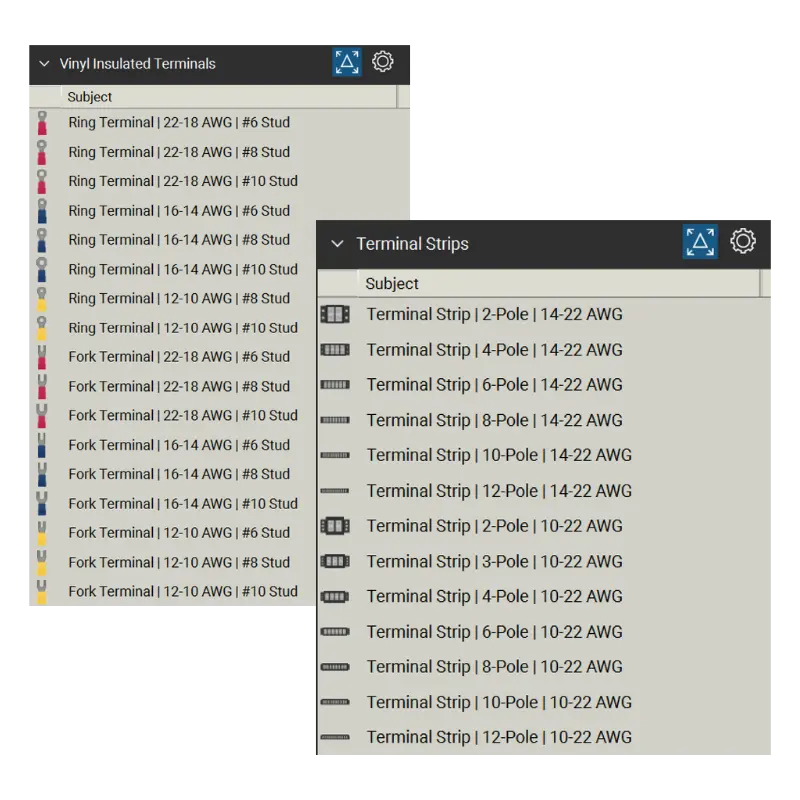
This collection includes 30 organized tools across 2 Bluebeam tool sets, giving electrical professionals a faster way to place terminal strips, ring terminals, and fork terminals directly into drawings and construction markups.
Instead of recreating common electrical connection components for each project, users can work from a consistent, visually recognizable library inside the Bluebeam Tool Chest.
Select number of licenses. *One license per user
What’s Included
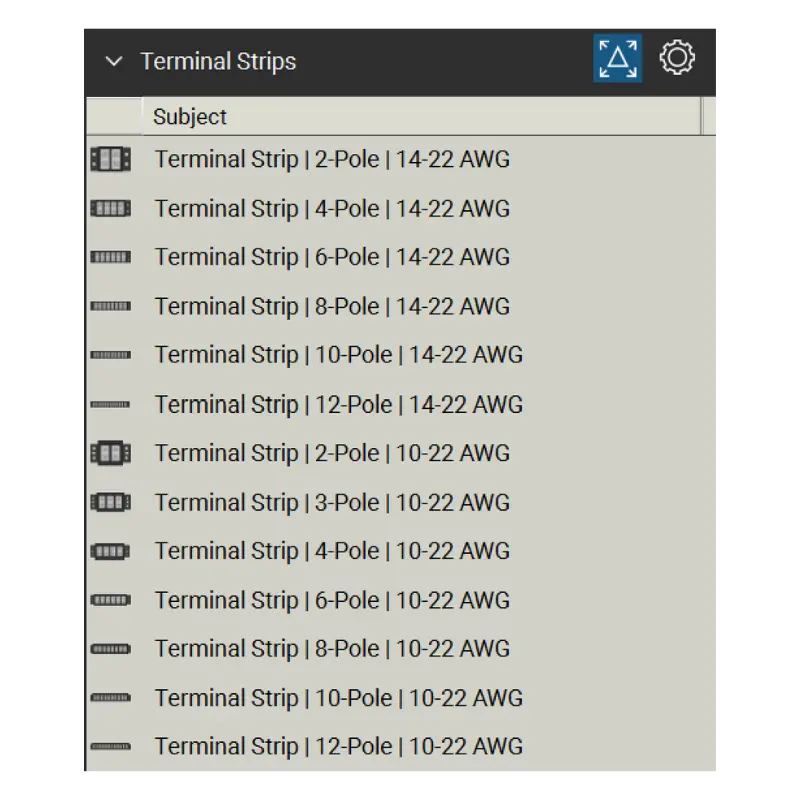
Terminal Strips - 13 Tools
A collection of terminal strip tools for electrical and control-related layouts, including:
- 15A / 250V terminal strips
- 30A / 600V terminal strips
- Multiple pole configurations
- Multiple wire range applications
The included tools provide a clear visual way to represent terminal strips on equipment layouts, control details, panel-related drawings, and other electrical construction markups.
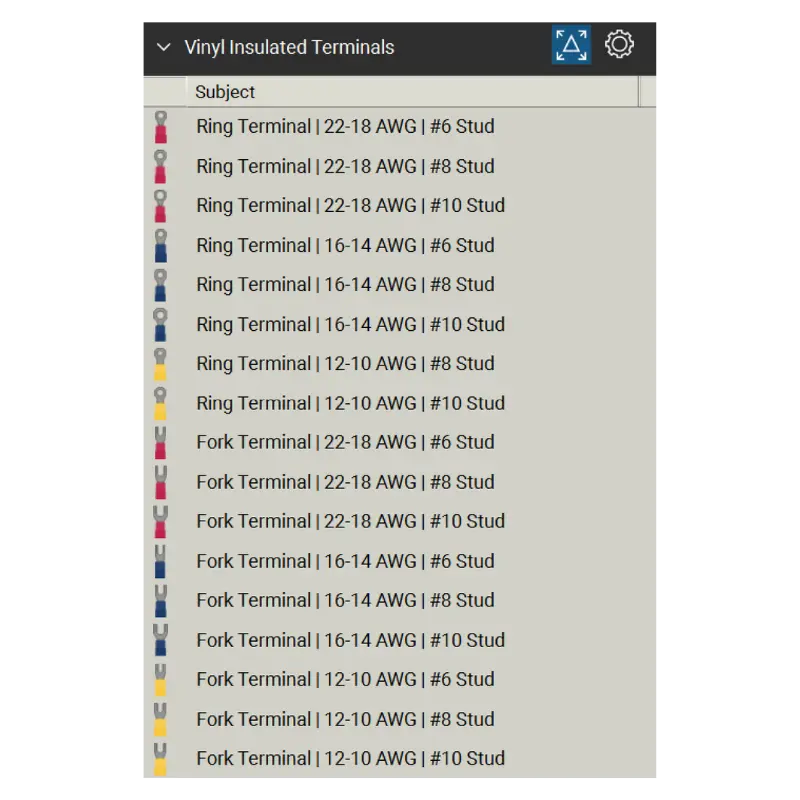
Vinyl Insulated Terminals - 17 Tools
A collection of visually recognizable insulated terminal tools, including:
- Ring terminals
- Fork / spade terminals
- Multiple wire sizes
- Multiple stud sizes
- Color-coded insulated terminal styles
These tools help users communicate connector type and application more clearly without relying solely on notes or generic symbols.
Specifications
Platform: Bluebeam Revu versions supporting the Tool Chest
File Type: .btx Bluebeam Tool Set files
Tool Sets: 2
Total Tool Count: 30 tools
Terminal Strip Tools: 13
Vinyl Insulated Terminal Tools: 17
Terminal Types: Ring and fork terminals
Wire Ranges: 22–18 AWG, 16–14 AWG, 12–10 AWG, plus terminal strip wire ranges
Organization: Categorized Bluebeam Tool Chest structure for fast navigation
Use Case: Electrical detailing, equipment layouts, control drawings, installation planning, prefabrication, and construction documentation
Built for Practical Bluebeam Workflows
This Terminal Strip Tool Set is designed for professionals who create or review detailed electrical construction information in Bluebeam Revu, including:
- Electrical contractors
- Electrical detailers and designers
- Controls professionals
- Prefabrication teams
- Project engineers
- Estimators
- Field leaders
- Construction document teams
Each tool is organized for quick placement from the Bluebeam Tool Chest, helping reduce repetitive drawing work while creating cleaner and more consistent deliverables.
Why SimpleTech Resources
At SimpleTech Resources, we build Bluebeam tools around practical construction workflows.
Our goal is simple:
- Save time
- Improve consistency
- Support clearer communication
- Reduce repetitive setup
- Help teams create more professional deliverables
The Terminal Strip Tool Set for Bluebeam Revu continues that approach with an organized library of electrical terminal components designed for real-world drawing and markup workflows.

Download Our Free Bluebeam Resources
Try out some of our Bluebeam tools completely free! Click the link below for your free Bluebeam downloads.
Coming Soon
Let us know if you want to be contacted when new tool sets are available.
"*" indicates required fields